 Credit Buddy
Three cards. 159 deadlines a year.
That is how many separate credits reset, used or not, on a Platinum, a Gold and a Sapphire Reserve. Credit Buddy is an app for iPhone, iPad and iPhone Duo that keeps the list, tells you which one is next, and shows whether each card earns its fee.
Make it your wallet. Tap a card to add or remove it.
Your wallet is empty. Add a card to fill in its year.
$1,567 a year expires unused. You paid $2,015 in fees for it.

Free for three cards, with every reminder. No account to make, because there is no account.
Figures come from Credit Buddy's card catalog, version 2026.10.23. Each reset period counts as one deadline; credits that renew every four years are left out. Only credits are counted, not points, lounge access or other perks. What you can claim depends on enrollment, eligibility and where you spend.
Now follow one of them. A $25 credit, start to finish.
The Platinum's Digital Entertainment credit resets on the first of every month. Here is what the app does with it.
-
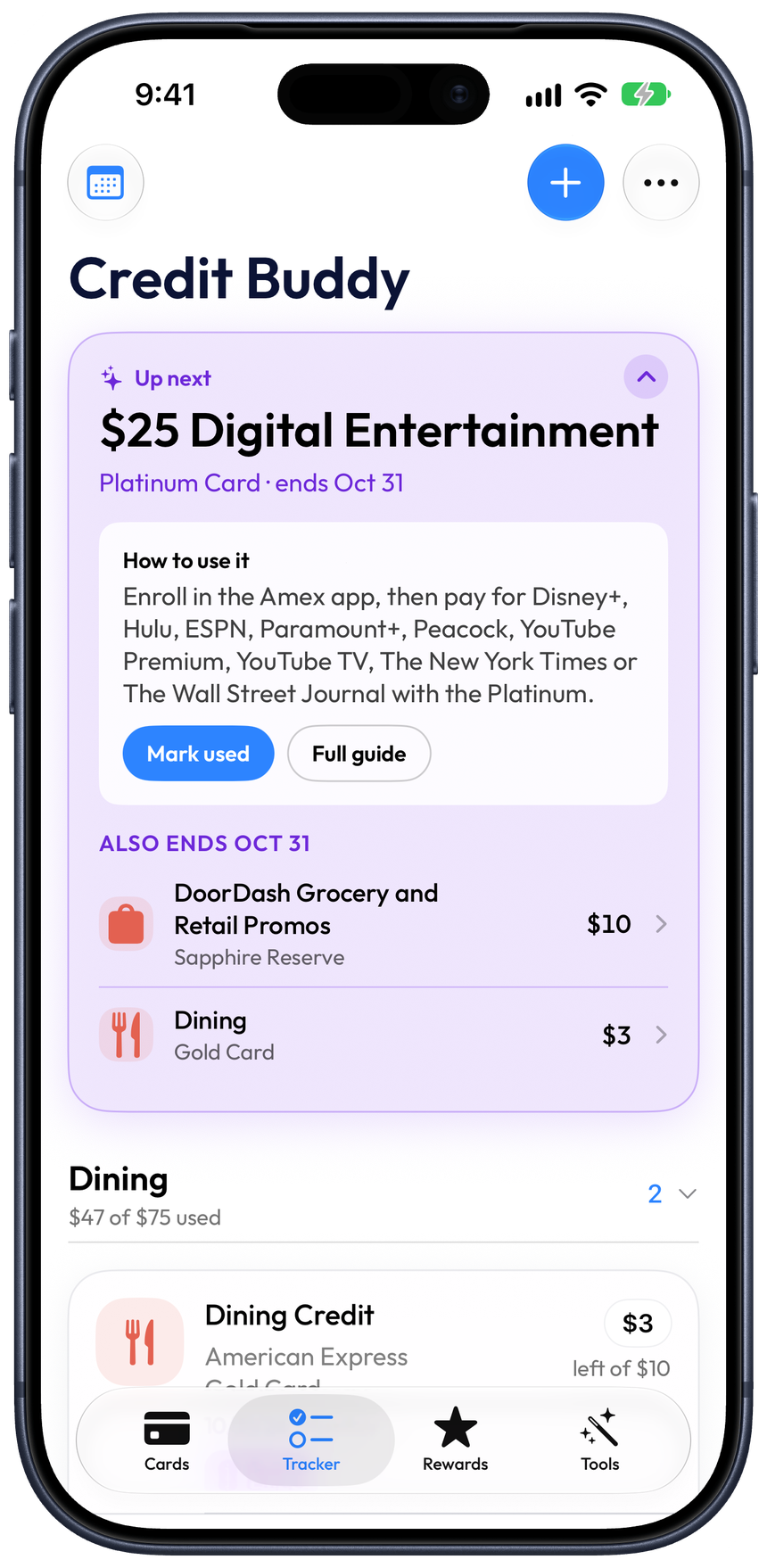
A week before it resets
It goes to the top of the list
The first screen leads with the credit that ends soonest, how to use it, and where. You don't open the app to browse. You open it to see one thing.
-
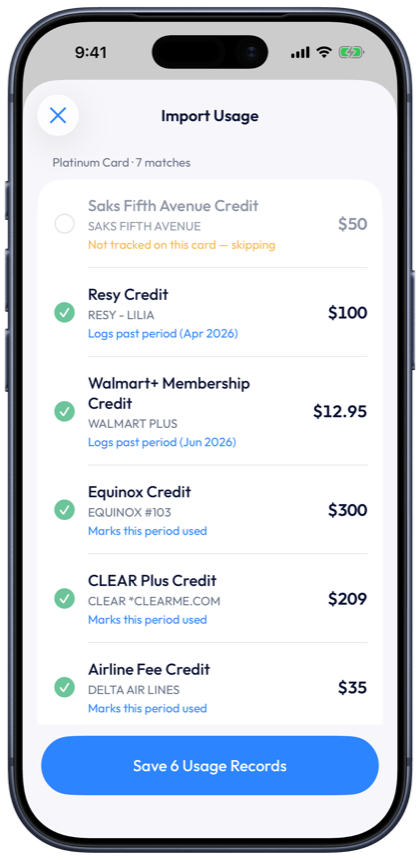
The day you use it
You log it in one tap
Mark it used in the app, from the Home Screen widget, or by asking Siri. Or skip all that and hand over a statement PDF once a month. It's read on your phone and you approve every line.
-
Ten days later
It asks whether the credit posted
Using a credit and getting reimbursed aren't the same event. The app asks once, and never assumes the answer from a merchant name.
Did your Digital Entertainment statement credit post?
Try an answer.
Arrives with version 2026.11. -
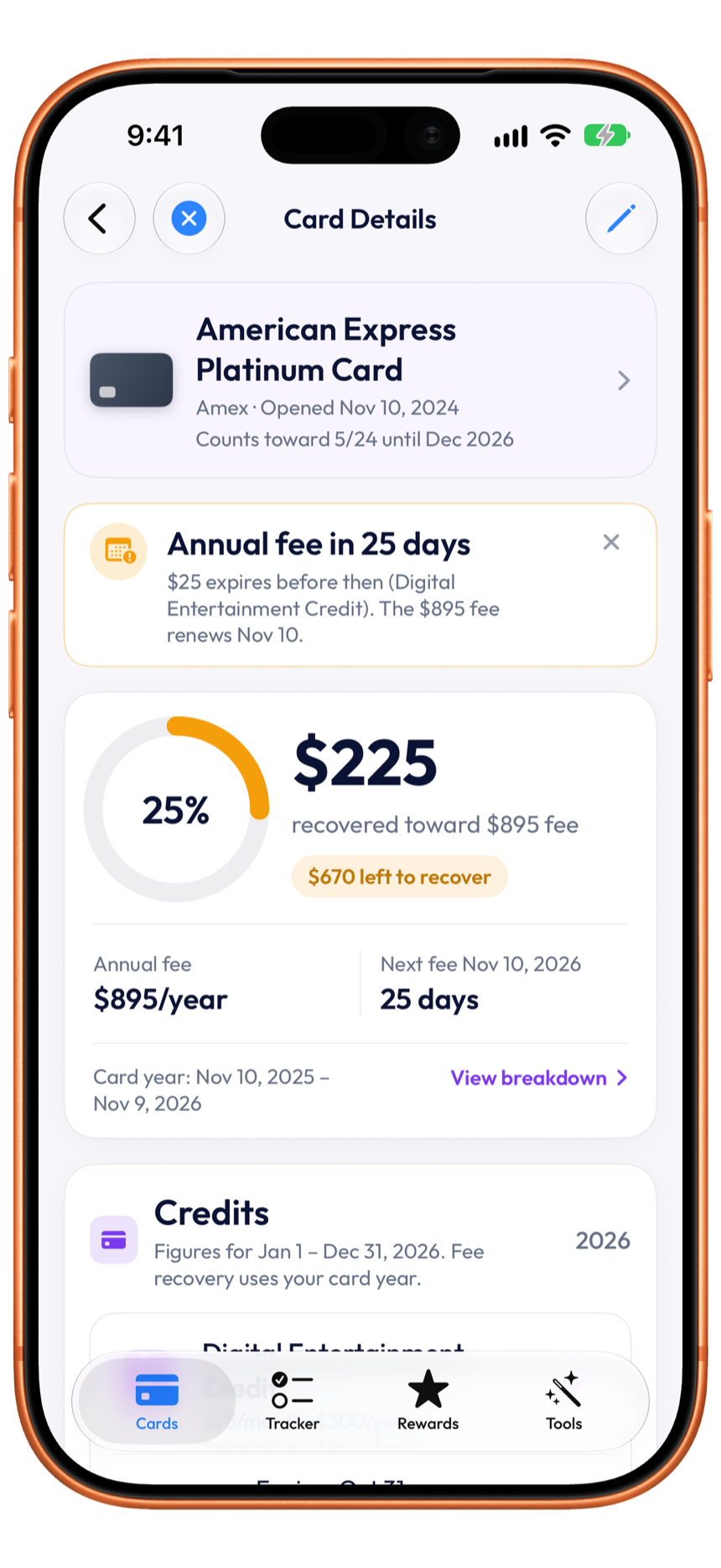
All year
It counts toward the fee
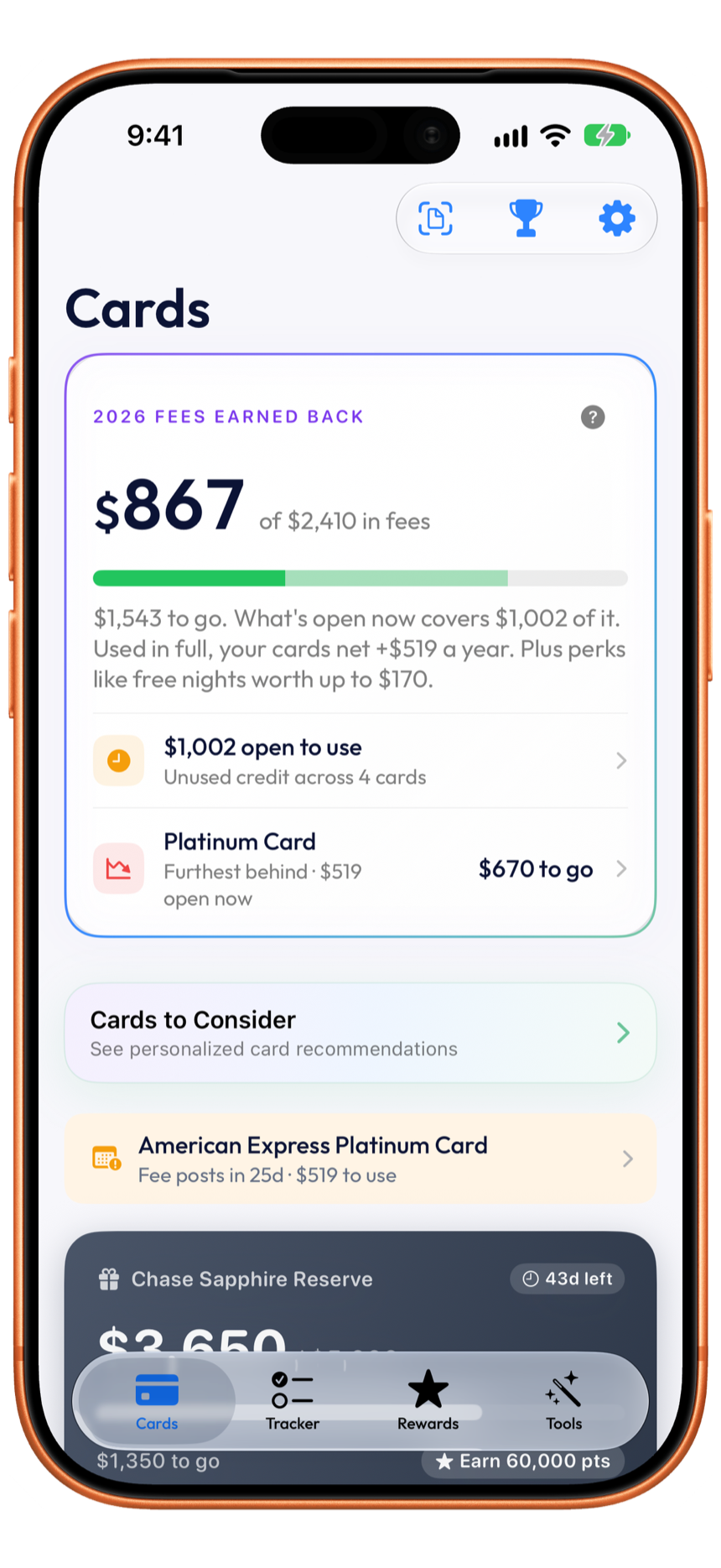
Each card keeps a running total of what it has paid back against what it costs, over its own card year. Dollars, how many are still open, and what to do about it.
-
Before the fee posts
You get a verdict
A card that's well ahead of its fee is marked a keeper. One that's behind shows the gap and what's still open, while there is time to use it, downgrade or cancel.
- Setup takes a minute
- Pick from 149 cards across 12 issuers. Every credit, reset date and fee arrives filled in, and corrections reach you without an app update.
- A guide for every credit
- What to enroll in first, what qualifies, and a link to the right place to spend it.
- Household Mirror
- Share a live, read-only copy of your wallet with one person, through your own iCloud accounts.
- Widgets and Siri
- Check off a credit from the Home Screen or Lock Screen without opening the app.
- Wallet Optimizer
- The best card you hold for each kind of spending.
- Points tools
- Balances, transfer partners with current bonuses, and a calculator that says if a redemption is any good.
What you're probably using now
Each of these works. Here is what each one costs you.
| Option | Knows your credits | Needs your bank login | Says what to do next | Price |
|---|---|---|---|---|
| A spreadsheet | Once you type them in, and again each time an issuer changes one | No | No | Free, plus the upkeep |
| Your issuer's app | Its own cards only | It is the bank | One card at a time, a few screens in | Free |
| A bank-linked tracker | Yes, and it logs purchases for you | Yes, held by an aggregator | Depends on the app | Often a subscription |
| Credit Buddy | 149 cards filled in, kept current over the air | Never | Top of the first screen | Free for 3 cards. $9.99 once for more |
Where a linked tracker wins: it records purchases without you. Credit Buddy asks for one tap, or one statement a month. That's the trade for keeping your bank password to yourself.
There is no account.
Your wallet stays on your devices
If you use iCloud, it syncs through your own private iCloud, which we can't read. There is no Credit Buddy server holding it.
No bank credentials, ever
Not through an aggregator, not through screen scraping. The app only knows what you tap or what's on a statement you choose to show it.
Statements are read on the device
Text recognition runs on your phone. You confirm each proposed entry, then the copied file is deleted. Nothing is uploaded.
Analytics are off until you turn them on
And then it's a short fixed list of events. Never card names, balances, amounts or statements.
Leaving is easy
Export the whole wallet to a file, your usage history to a spreadsheet, or delete everything in one action. Read the privacy policy.
$9.99, once.
A tracker that bills you every year is one more charge to keep an eye on. Credit Buddy+ is one payment, shared with your family. A single dining credit you'd have missed covers it.
Launch price. Regularly $19.99.
Free, with no time limit
- Three cards with all of their credits
- Every reminder, including annual-fee warnings
- Fee recovery for each card and the whole wallet
- Statement import
- Home Screen and Lock Screen widgets
- Points calculator
Credit Buddy+ adds
- Unlimited cards
- The full Wallet Optimizer
- Custom reminder timing and calendar export
- Custom categories
- Household Mirror
Fair questions
If it never sees my accounts, how does it know what I spent?
It doesn't, until you show it. You tap a credit as used, which takes a second, or you hand it a statement and it proposes a batch for you to confirm.
My card isn't in the catalog.
Add it by hand with whatever benefits you want to track, and tell us so it gets added properly. The catalog is 149 cards across 12 issuers and grows on request.
An issuer changed a benefit. How fast do you follow?
The catalog updates over the air, so a correction reaches you without waiting on App Store review. Your own edits and history are kept.
What happens if I stop paying?
There is nothing to stop paying. Credit Buddy+ is bought once and stays bought.
Does it work on iPad and iPhone Duo?
Yes. It's one app for iPhone and iPad, and on iPhone Duo it changes layout as you fold and unfold. Your wallet follows you through your own iCloud, and Credit Buddy+ bought once works on every device signed in to the same Apple Account.
Android?
No, and not soon. The app is built on iOS frameworks that do the private, on-device work it depends on.
Go collect what you already paid for.
Free to download. iPhone and iPad, iOS 26 or later.